- The critical path is the longest chain of logic; it decides the finish date.
- Total float = late start − early start; zero means critical.
- A delay moves the finish only by the amount beyond the activity's float.
- Float figures are only as good as the logic — check open ends, lags and constraints first.
The network
A CPM schedule is a list of activities, each with a duration and the activities that must finish before it can start (finish-to-start logic, the default). Here is a small building job in working days:
| ID | Activity | Duration | Predecessors |
|---|---|---|---|
| A | Mobilize | 5 | — |
| B | Excavate | 10 | A |
| C | Footings | 8 | B |
| D | Underground MEP | 6 | B |
| E | Slab on grade | 7 | C, D |
| F | Steel erection | 15 | E |
| G | Roofing | 9 | F |
| H | MEP rough-in | 20 | E |
| I | Closeout | 5 | G, H |
Forward and backward pass
The forward pass finds the earliest each activity can start and finish: early start (ES) is the latest early finish of its predecessors; early finish (EF) = ES + duration. The backward pass works from the project finish: late finish (LF) is the earliest late start of its successors; late start (LS) = LF − duration.
| ID | ES | EF | LS | LF | Total float | Free float |
|---|---|---|---|---|---|---|
| A | 0 | 5 | 0 | 5 | 0 | 0 |
| B | 5 | 15 | 5 | 15 | 0 | 0 |
| C | 15 | 23 | 15 | 23 | 0 | 0 |
| D | 15 | 21 | 17 | 23 | 2 | 2 |
| E | 23 | 30 | 23 | 30 | 0 | 0 |
| F | 30 | 45 | 30 | 45 | 0 | 0 |
| G | 45 | 54 | 45 | 54 | 0 | 0 |
| H | 30 | 50 | 34 | 54 | 4 | 4 |
| I | 54 | 59 | 54 | 59 | 0 | 0 |
The project finishes on day 59. The critical path is A–B–C–E–F–G–I: every activity with zero total float. Underground MEP has 2 days of float; MEP rough-in has 4.
What a delay does to the finish
A delay moves the finish by however much it exceeds the activity's total float — and no more:
- MEP rough-in (H) slips 3 days: within its 4 days of float — the finish holds at day 59, but H is now within a day of critical.
- H slips 7 days: 3 days beyond its float — the finish moves to day 62, and H joins the critical path.
- Steel (F) slips 2 days: zero float — the finish moves to day 61, day for day.
That is why float belongs to the project, not to whichever trade reaches it first: once it is used, the next slip on that chain costs days. The same arithmetic sits under labor forecasts that push a finish date, and under the general-conditions cost of a late job in job cost forecasting.
Checks that keep a CPM schedule honest
The method only works if the logic is real. Before trusting any float figure, check:
- Every activity has a predecessor and a successor (except the start and finish milestones). An open end has float that is not real.
- No negative lags — they hide overlap that should be modelled as its own activity.
- Few hard constraints ("must finish on"). They override the logic and manufacture float or negative float.
- Durations under about two months for work in progress — long activities hide progress; split them.
- High-float activities explained — float of months usually means missing logic, not spare time.
These are the same checks a scheduling tool runs before a schedule goes to the owner; the free schedule health check runs them on an exported schedule. For the weekly working view built on top of the CPM schedule, see the three-week look-ahead.
Watch the near-critical paths too
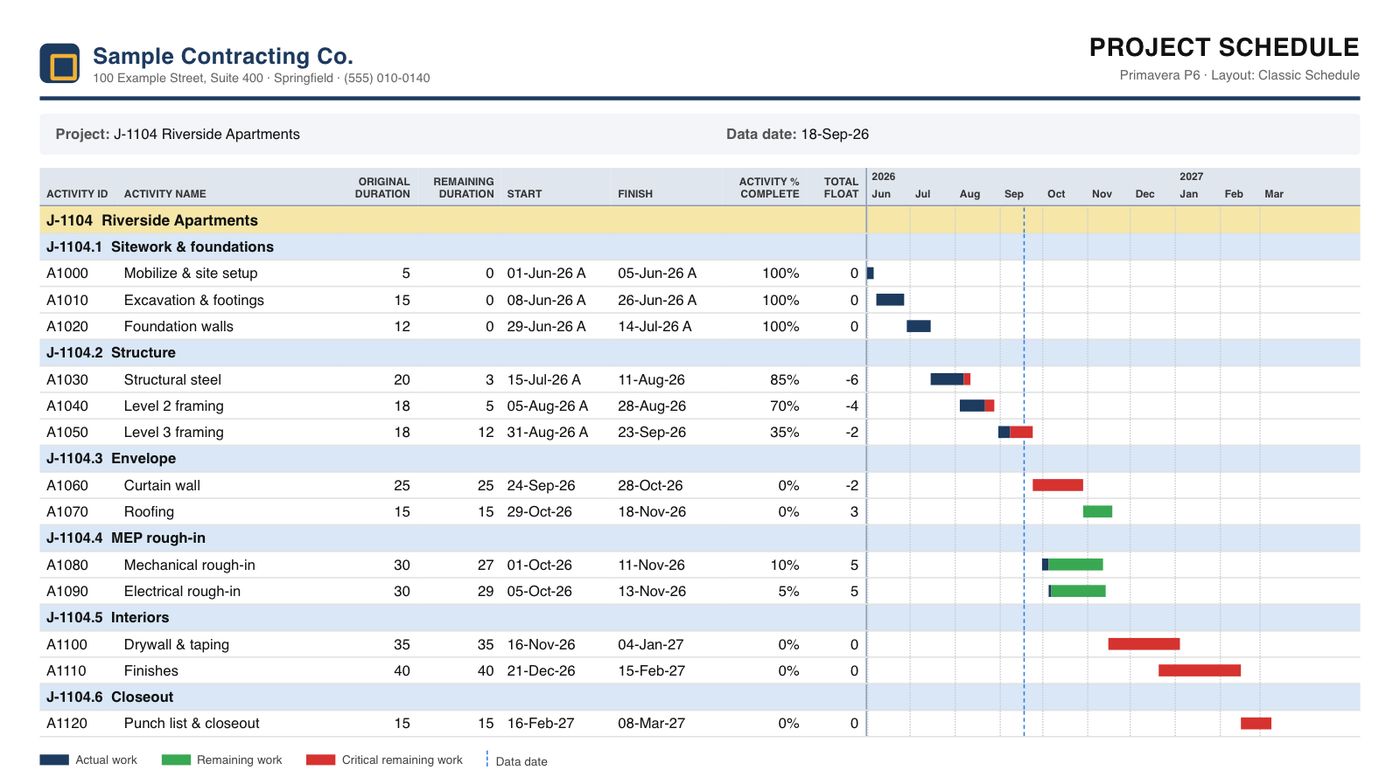
A schedule has one critical path, but the chains with only a little float are the ones that take over. A near-critical activity that slips by more than its float becomes critical and moves the finish. Keep a short watch list:
- Near-critical threshold: pick a float value — commonly around ten working days on a building job — and list every activity below it.
- Review it weekly alongside the critical path in the look-ahead, not only at the monthly update.
- Watch float erosion: an activity whose float shrinks every update is heading for the critical path even before it gets there.
Who may use that float is a contract question as well as a scheduling one — many contracts treat it as shared by the project rather than owned by either party, so read the scheduling clauses before assuming.
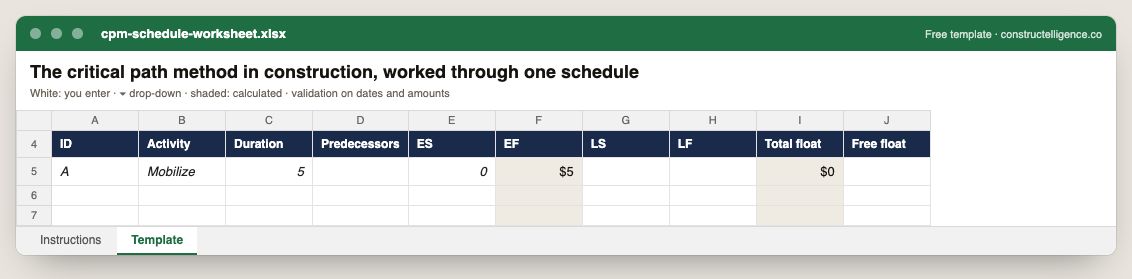
Each activity's duration and predecessors with early and late start and finish, and total and free float.
10 columns: 8 you fill in and 2 calculated by formula and filled down 200 rows, so nothing is worked out by hand. In the Excel version, 5 columns reject entries of the wrong type (a date column only takes dates, an amount column only numbers), the header row stays frozen with filters on it, and the workbook opens on an Instructions sheet that lists every column below.
Every column, and how it is captured
| Column | Type | What goes in it |
|---|---|---|
| ID | Text | Free text. |
| Activity | Text | The schedule activity or scope of work. |
| Duration | Number | Enter a number. |
| Predecessors | Text | Free text. |
| ES | Number | Enter a number. |
| EF | Calculated | Calculated: [ES] + [Duration] |
| LS | Number | Enter a number. |
| LF | Number | Enter a number. |
| Total float | Calculated | Calculated: [LS] − [ES] |
| Free float | Number | Enter a number. |
See it on real-looking numbers
Constructelligence is a construction intelligence platform: it reads your ERP, project and field systems read-only and does this arithmetic every week, for every job. The demo runs it on a sample eight-job portfolio.
Try the demoJoin the private betaFrequently asked questions
What is the critical path in construction?
The longest chain of dependent activities from start to finish of a schedule. Its total duration is the project duration, and every activity on it has zero total float, so any delay to one of them delays the finish.
What is the difference between total float and free float?
Total float is how long an activity can slip without delaying the project finish. Free float is how long it can slip without delaying the early start of any activity that follows it. Free float is always less than or equal to total float.
How do you calculate total float?
Run a forward pass to get each activity's early start and early finish, then a backward pass from the project finish to get late start and late finish. Total float is late start minus early start (or late finish minus early finish).
Can the critical path change during a job?
Yes. When a non-critical activity slips by more than its float, it becomes critical and the finish moves; when a critical activity finishes early or logic changes, another chain can become the longest. Re-run the schedule after every update.
What is a near-critical path?
A chain of activities with little total float — small enough that a modest slip would make it critical. Contractors track activities below a chosen float threshold because those chains are the next to drive the finish date.
Who owns float in a construction schedule?
It depends on the contract. Many construction contracts treat float as a shared project resource available to whichever party needs it first; others allocate it. Check the scheduling and time-extension clauses rather than assuming.