Pick your trade
What every trade needs
- Job costing to cost codes that match the estimate — or estimate and actual can never be compared.
- A weekly forecast at completion — cost to date only says what has happened. See job cost forecasting.
- Committed cost — purchase orders and subcontracts before they are invoiced.
- Billing position — over- and under-billing on every job. See the WIP schedule.
What every trade's software has to share
Whatever a trade runs for estimating, field work and billing, three things have to line up across its systems or its reports never agree:
| Shared key | Why it matters | Where it breaks |
|---|---|---|
| Job number | Every cost, hour and invoice lands on a job | Field apps and estimating tools that invent their own project IDs |
| Cost codes and cost types | Estimate and actual can only be compared on the same codes | An estimating system with its own item list that never maps to the ERP |
| Time by job and code | Labor is the biggest risk for most self-performing trades | Timecards recorded by day or by person only |
Choose tools that carry those keys through, and connect them one way from the system that owns each one.
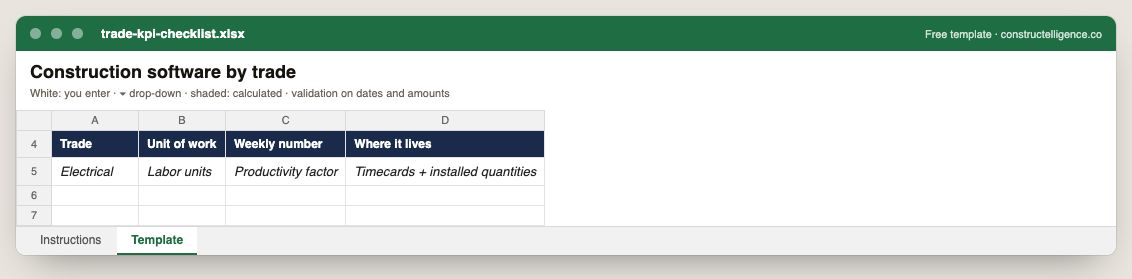
For each trade: its unit of work, the number to track weekly and the system it lives in.
4 columns: 4 you fill in. In the Excel version, the header row stays frozen with filters on it, and the workbook opens on an Instructions sheet that lists every column below.
Every column, and how it is captured
| Column | Type | What goes in it |
|---|---|---|
| Trade | Text | Free text. |
| Unit of work | Text | Free text. |
| Weekly number | Text | Free text. |
| Where it lives | Text | Free text. |
See it on real-looking numbers
Constructelligence is a construction intelligence platform: it reads your ERP, project and field systems read-only and does this arithmetic every week, for every job. The demo runs it on a sample eight-job portfolio.
Try the demoJoin the private betaFrequently asked questions
What is the best construction software for contractors?
It depends on the trade and size: most contractors combine construction accounting with job costing, a project management or field tool, estimating software and, as they grow, a forecasting or construction intelligence layer across them. The trade pages here list what each trade typically runs.
Do specialty contractors need different software from general contractors?
Often, yes. Specialty contractors live on labor productivity and unit costs, and many also run service work, so trade estimating, field and service tools matter more than for a GC, while the accounting and forecasting needs are similar.
What software does a small subcontractor need first?
An accounting system that does job costing by cost code, and a way to record time by job and cost code. Estimating and field tools pay off once those two are reliable, because every other report depends on them.
Should a contractor use one all-in-one system or separate tools?
Either can work. An all-in-one system avoids integration but may be weak in the area that matters most to your trade; separate tools need shared job numbers and cost codes and a one-way flow between them. Decide by where your trade's risk sits — labor, material or subcontract.
Related guides
More in Software by trade
- General contractor software: what to run, what to track, and where jobs lose money
- Electrical contractor software: what to run, what to track, and where jobs lose money
- Plumbing software: what plumbing contractors run, what to track, and where jobs lose money
- HVAC and mechanical contractor software: what to run, what to track, and where jobs lose money
- Concrete contractor software: what to run, what to track, and where jobs lose money
- Roofing contractor software: what to run, what to track, and where jobs lose money
- Excavation and sitework contractor software: what to run, what to track, and where jobs lose money
- Drywall and interiors contractor software: what to run, what to track, and where jobs lose money
- Home builder software: what to run, what to track, and where jobs lose money
- Deck builder software: project management, pricing and where deck jobs lose money
Free tools for this topic: Construction markup vs margin calculator · Construction labor burden calculator · Contractor overhead recovery and break-even calculator
All software by trade resources →